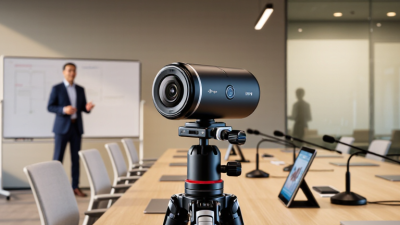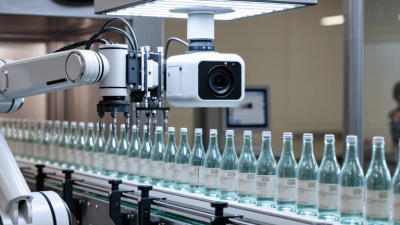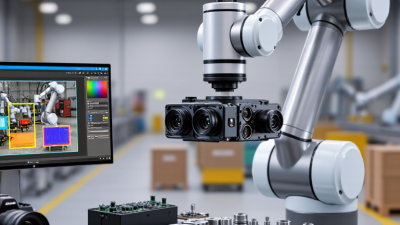
A robotic camera system can change how a business captures meetings, training sessions, live events, and customer presentations. Instead of placing an operator beside every camera, teams can control movement, framing, zoom, and presets from a quiet control desk. A camera can follow a speaker across a small stage. It can return to the same close-up every time.
The practical value is consistency. A well-configured robotic camera system reduces repeated setup work and helps smaller teams produce professional video. It also supports safer, less crowded production spaces. Jim Jachetta, an imaging technology executive and frequent industry commentator, has expressed a useful principle: “Automation should serve the story, not distract from it.” That idea matters. Technology should make communication clearer, not make the audience notice the machinery.
Still, robotic production is not effortless. Poor lighting can make accurate tracking look awkward. Weak network planning can interrupt control at the worst moment. Presets may need adjustment when furniture, presenters, or stage layouts change. These details are easy to underestimate.
Experience reveals the difference.
Before choosing equipment, businesses should examine room size, lighting, operator skills, streaming platforms, and future production demands. A compact boardroom may need only one quiet PTZ camera. A large venue may require synchronized cameras, reliable control hardware, and trained staff. The right investment is not always the most expensive system. It is the system that performs predictably, remains understandable, and improves the viewer’s experience without becoming the main event.
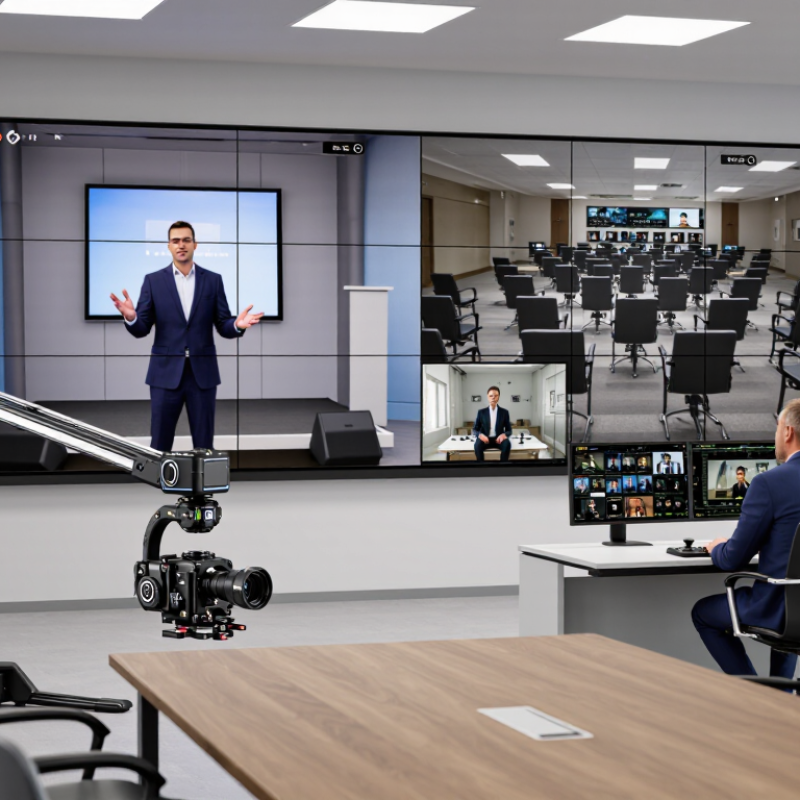
A robotic camera system is a camera designed to move, frame, and sometimes track subjects without constant manual operation. It usually combines pan, tilt, and optical zoom with remote control software. Operators can adjust a camera from a control room, laptop, or production console. Preset positions can shift from a wide audience view to a speaker’s close-up within seconds.
In practical use, the system relies on motors, network connections, image processing, and control commands. Some models follow a presenter through a stage area. Others use preset routes for classrooms, meeting rooms, houses of worship, or live events. MarketsandMarkets estimated that the global PTZ camera market could grow from about 4.1 billion dollars in 2023 to 8.4 billion dollars by 2028, representing a 15.4% compound annual growth rate. That growth reflects demand for flexible video production with fewer operators.
The value is operational, not mysterious. One technician may manage several viewpoints while maintaining consistent framing. Remote access can also reduce travel and setup time. However, performance depends on lighting, network stability, camera placement, and tracking design. A poorly placed camera still produces poor video. It is not magic. In my experience, teams often underestimate training; a simple control panel can become confusing during a live session. Testing movement paths, backup controls, and privacy settings before use is essential. The system should support the operator, not replace careful production judgment.
A robotic camera system uses motors, sensors, software, and network controls to create precise video movement. Most units support pan, tilt, and optical zoom, often called PTZ functions. An operator can save viewing angles as presets, then recall them instantly during meetings, training, or live production. Some systems also use image recognition to follow a speaker across a room. The camera compares movement, face position, and framing data several times per second. It then adjusts the lens and motors with small, controlled movements.
Network connectivity makes the system more useful. Through Ethernet or wireless control, staff can manage cameras from a console or compatible application. Power over Ethernet can reduce cable clutter. Video signals may travel through IP networks, while encoders compress footage for online delivery. MarketsandMarkets estimates that the global PTZ camera market could grow from about 1.7 billion dollars in 2023 to 2.4 billion dollars by 2028. That growth reflects wider demand for flexible, remotely managed video.
In practice, tracking is not magic. A glass wall, dim lighting, or two people crossing paths can confuse the system. Manual presets still matter. Room testing should include backlight, microphone placement, network delay, and noisy backgrounds. Fortune Business Insights valued the global video conferencing market at 19.08 billion dollars in 2023. A robotic camera can support that environment, but reliable results depend on calibration, trained operators, and regular maintenance. Small errors remain possible. That deserves honest attention.
| Business Dimension | How a Robotic Camera System Works | Typical Business Value | Key Consideration |
|---|---|---|---|
| Remote Pan, Tilt and Zoom | Motorized movement allows operators to change the viewing direction, camera angle and optical zoom from a controller or software interface. | One operator can monitor or present from multiple angles without physically repositioning the camera. | Movement range, operating speed and zoom capability vary by camera model and lens configuration. |
| Preset Positions | The system stores predefined camera coordinates and recalls them through software, a control panel or automation commands. | Speeds up repeatable tasks such as moving between speakers, work areas or production zones. | Preset accuracy depends on mechanical design, calibration and the stability of the mounting surface. |
| Automatic Speaker or Subject Tracking | Software uses visual information, audio cues or both to estimate a subject’s position and send movement commands to the camera. | Helps maintain framing during meetings, lectures, interviews and live presentations. | Tracking can be affected by poor lighting, occlusion, multiple moving subjects and similar-looking backgrounds. |
| Remote Operation | Control signals travel through a local network, USB connection, serial interface or other supported communication link. | Enables centralized management of cameras installed in rooms, studios, classrooms or facilities. | Network reliability, access permissions and cybersecurity controls should be planned before deployment. |
| Video Conferencing Integration | The camera provides video to a conferencing platform while control commands adjust framing, presets or tracking behavior. | Supports more natural remote collaboration and reduces the need for a dedicated camera operator. | Compatibility should be checked for video resolution, frame rate, USB or network connectivity and control protocols. |
| Live Production Support | Operators can coordinate camera movement, switching and framing from a production control position. | Allows repeatable shots and efficient coverage for events, training, broadcasts and corporate communications. | Smooth movement requires suitable acceleration settings, stable support and adequate operator training. |
| Image Quality | A digital imaging sensor captures video, while lens optics, image processing and exposure controls determine the final picture. | Clearer images improve communication, presentations, training content and recorded media. | Resolution alone does not determine quality; lighting, lens performance, compression and network bandwidth also matter. |
| Operational Efficiency | Automation, presets and centralized control reduce repeated manual adjustments during routine operations. | May reduce setup time and allow staff to focus on content, participants or production decisions. | Actual savings depend on the number of rooms, operating frequency, workflow design and staff responsibilities. |
| Scalability | Additional cameras can be added to a compatible control environment and managed individually or in groups. | Makes it easier to standardize video workflows across multiple rooms or locations. | Future expansion may require additional network capacity, licenses, control hardware and technical support. |
| Maintenance and Reliability | The system combines electronic controls, moving components, firmware and network connectivity. | Centralized diagnostics and repeatable settings can simplify routine support and troubleshooting. | Regular firmware management, cable checks, cleaning and mechanical inspection help maintain dependable operation. |
| Best-Fit Business Uses | Robotic control is most useful where camera position changes frequently or consistent framing is important. | Common applications include meeting rooms, education, healthcare communication, training, events, studios and facility monitoring. | A fixed camera may be more suitable when the viewing angle never changes and automation provides little practical benefit. |
Note: Performance, compatibility and operating costs depend on the selected camera, controller, lens, network infrastructure, software and installation environment.
Why Choose a Robotic Camera System for Your Business?
Key Business Benefits of Robotic Camera Systems
Robotic camera systems help businesses produce consistent video with fewer operators. A presenter can walk across a training room while the camera follows smoothly. Remote control also reduces repeated tripod adjustments and rushed manual framing. MarketsandMarkets valued the global PTZ camera market at about $1.4 billion in 2023. Its report projects the market to reach approximately $2.4 billion by 2028. This growth reflects demand for flexible production in meeting rooms, classrooms, studios, and event spaces.
The business case also includes labor efficiency. One trained operator can manage several cameras, presets, and transitions from a control desk. That matters when a company records weekly demonstrations or hybrid meetings. Wyzowl’s 2024 State of Video Marketing report found that 88% of video marketers reported a positive return on investment. A robotic system can support that return by improving framing, reducing retakes, and creating reusable content. Better content, with less disruption.
However, automation is not effortless. Tracking may lose a speaker when people cross in front of the lens. Poor lighting can also weaken results. A practical installation needs clear camera positions, tested presets, and an operator who understands the room. The system may cost more at the beginning. Yet reliable motion, quieter operation, and repeatable images can protect production quality over time. The real benefit appears when the camera solves a daily workflow problem, not when it simply looks advanced.
Choosing a robotic camera system requires more than comparing resolution and movement speed. Start with the room, workflow, and people using the equipment daily. A camera for a training room may need quiet movement, automatic framing, and simple controls. A production studio may require precise positioning, multiple inputs, and dependable remote operation.
Test the system in realistic conditions. Check how quickly it tracks a speaker walking near a window. Examine the image when lighting changes suddenly. Listen for motor noise during quiet interviews. Test the control interface with both experienced operators and occasional users.
That matters.
Clear controls reduce mistakes when attention is already divided.
Compatibility also deserves careful review. Confirm support for your existing displays, recording tools, network structure, and mounting points. Ask about firmware updates, service access, and replacement parts. These details often decide whether a system remains useful after installation.
I once focused too heavily on image quality and underestimated setup time. The final result looked excellent, but staff needed extra training. A better evaluation includes installation, maintenance, accessibility, and data security from the beginning. No system fits every business perfectly, and even careful teams may overlook a practical limitation. Trial footage and honest user feedback can reveal those weaknesses before they become expensive problems.
Why Choose a Robotic Camera System for Your Business?
Choosing a robotic camera system is less about impressive movement and more about disciplined implementation. Start with a documented workflow covering zones, lighting changes, privacy boundaries, and response times. Operators should know when automatic tracking applies and when manual control takes over. During a pilot, place one camera near a busy entrance. Log missed views, false alerts, and recovery time. Small tests expose expensive assumptions. The International Federation of Robotics reported 541,302 industrial robots installed worldwide in 2023. This figure shows automation’s scale, but it does not guarantee a successful camera deployment.
Managing the system requires more than mounting hardware. Establish user permissions, inspection schedules, software updates, and clear incident records. Check network performance during peak hours, when several live feeds may compete for bandwidth. Grand View Research estimated the global video surveillance market at approximately 51.9 billion dollars in 2023, with projected growth through 2030. That expansion increases available technology, but also creates more complex purchasing decisions. Select equipment that fits the workflow, not merely the specification sheet.
Training should include realistic drills. Ask an operator to redirect a camera, review an event, and recover from a connection failure. The first drill may feel clumsy. That is useful evidence. In one pilot, an overlooked reflective surface could confuse motion detection. Adjusting the camera angle solved part of the problem, while lighting still needed improvement. Review performance monthly, and keep a record of unresolved limitations. Some automation will remain imperfect. Management should acknowledge that openly.
Implementing and managing a robotic camera system can reduce repetitive camera-operation time and improve shot consistency.
This scenario model compares the time required for common camera-control tasks during a production session. The estimates assume four camera positions, repeated shot changes, and stored presets. Robotic control is most valuable when teams need faster repositioning, consistent framing, and fewer manual operating steps.