Choosing the best camera robot for your business is not simply a matter of buying the fastest system. It is a production decision involving movement, image quality, safety, integration, and long-term cost. The International Federation of Robotics reported 541,302 industrial robots installed worldwide in 2023. Its World Robotics 2024 report also recorded approximately 205,000 professional service robots sold that year. These figures suggest growing confidence in automation, but they do not guarantee a suitable camera robot for every company.
Rodney Brooks, an MIT robotics researcher, offers a useful warning: “The robots are coming, but they are not going to take all our jobs.” His point matters in media production. A robot can repeat a camera move precisely, yet it cannot fully understand a nervous presenter, an unexpected stage obstruction, or a client’s changing creative direction. Human judgment still matters.
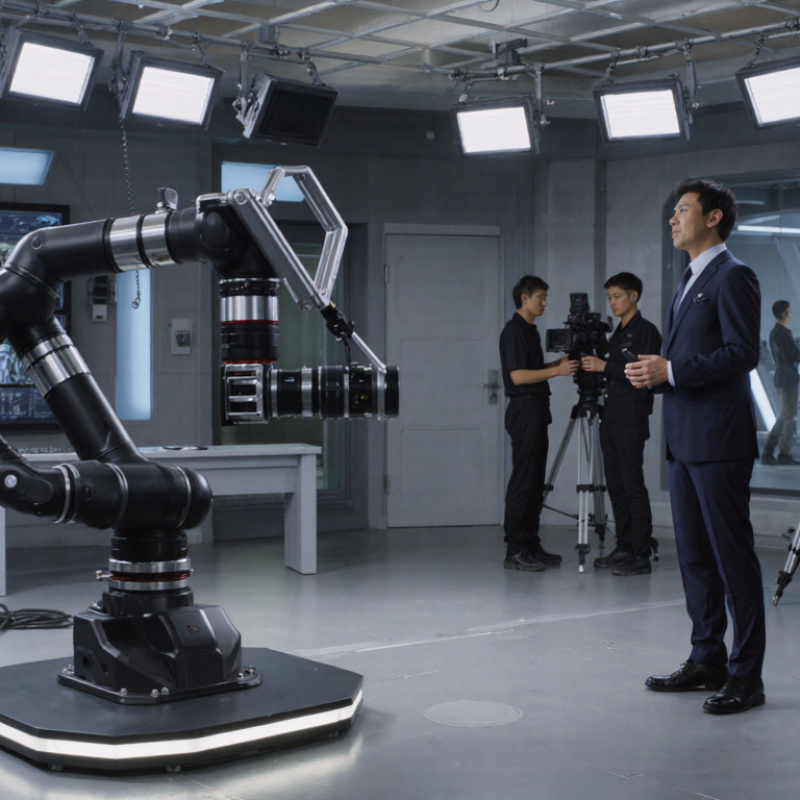
A practical evaluation should begin with real production scenes. Picture a studio where the lens must move from a wide audience shot to a presenter’s close-up in six seconds. Can the system track that path smoothly? Check payload capacity, reach, acceleration, noise, repeatability, remote control, software compatibility, and operator training. The best camera robot may not be the most advanced model. It may be the one that fits existing cameras, lighting plans, crews, and budgets.
Some assumptions will be wrong. A cheaper system can create hidden integration costs. A premium robot can remain underused. This guide compares those trade-offs using industry data, technical criteria, and practical business experience.
Before choosing a camera robot, define the business problem it must solve. A warehouse may need moving video during evening inspections. A hotel may need smooth room tours or remote event coverage. A clinic may require quiet operation and strict privacy controls. These are different jobs. Treating them as one use case often leads to expensive compromises. Write down who operates the system, where it moves, and what success looks like. “Fewer missed inspections” is stronger than “better automation.”
Observe the real environment for at least one normal workday. Measure corridor width, floor changes, lighting shifts, network stability, and background noise. Note whether staff members must carry equipment between locations. For live production, test walking speed, camera height, microphone pickup, and battery duration. For facility monitoring, define permitted zones and response procedures before purchase. A reliable plan also identifies data storage, access permissions, maintenance skills, and emergency stop requirements. These details are easy to overlook.
Set practical evaluation targets, then test them with a short pilot. Ask an operator to complete the actual workflow, not a showroom demonstration. Record setup time, navigation errors, charging interruptions, and footage quality. The first plan may be wrong. That is useful evidence. A robot that looks impressive can still slow staff down if controls feel confusing or routes change often. Review feedback from operators, managers, and affected visitors before selecting the final configuration.
How to Choose the Best Camera Robot for Your Business?
Camera robots serve different business needs. A robotic PTZ camera suits studios, classrooms, and conference rooms. It provides smooth pan, tilt, and optical zoom. A mobile camera robot adds movement across warehouses, hospitals, or event spaces. An autonomous tracking model follows speakers or performers without constant operator control. Each type has limits.
Compare resolution, lens quality, and low-light performance before choosing. A 4K sensor may produce poor footage with a weak lens. Optical zoom usually preserves more detail than digital zoom. Check autofocus speed, image stabilization, and microphone support during real tests. Latency also matters for remote operation. Even a small delay can make a moving subject appear disconnected.
For mobile systems, inspect battery duration, charging time, obstacle detection, and floor performance. A robot that works well on smooth flooring may struggle near ramps or cables. Review wireless range and backup connectivity. Data protection, access controls, and software update policies deserve equal attention. Ask for measurable test results, not only attractive specifications. I have found that complicated tracking features can create more work when lighting changes. Sometimes, a simpler camera with reliable manual control performs better. The “best” choice may still need adjustment after deployment. Test it where the work actually happens.
| Camera Robot Type | Typical Business Use | Mobility | Typical Camera Capability | Typical Operating Time | Navigation and Safety | Key Advantages | Main Limitations |
|---|---|---|---|---|---|---|---|
| Fixed-Position Pan-Tilt-Zoom Robot | Remote observation, classrooms, meeting rooms, broadcast spaces, and security monitoring. | Pan, tilt, and optical zoom from a fixed mounting point. | Full HD or 4K video; optical zoom commonly ranges from 10x to 30x; wide horizontal viewing angles are available. | Continuous operation when connected to mains power; battery backup depends on the installation. | Preset positions, remote control, autofocus, and basic subject tracking. | High image stability, strong zoom performance, and predictable coverage. | Cannot independently move to another location; requires suitable mounting and network infrastructure. |
| Wheeled Indoor Mobile Camera Robot | Office patrols, warehouses, retail stores, hospitals, schools, and facility inspections. | Powered wheels; generally designed for flat indoor floors and moderate thresholds. | Full HD or 4K camera; digital or optical zoom; some configurations include a vertical lift or panoramic camera. | Approximately 4 to 12 hours per charge, depending on movement, sensors, and video workload. | Autonomous mapping, lidar or depth sensing, obstacle avoidance, docking, and geofencing. | Flexible patrol routes, remote presence, and lower deployment cost than aerial systems. | Performance can be reduced by stairs, clutter, wet floors, steep ramps, or uneven surfaces. |
| Outdoor All-Terrain Camera Robot | Construction sites, campuses, farms, industrial yards, perimeter inspection, and infrastructure monitoring. | Large wheels or tracked drive; designed for outdoor surfaces and inclines. | Full HD or 4K camera; optional thermal, low-light, or panoramic imaging; stabilized camera mounts may be used. | Approximately 2 to 8 hours per charge; operating time varies substantially with terrain and payload. | GNSS, inertial navigation, lidar, cameras, obstacle detection, emergency stop, and remote teleoperation. | Operates over rough ground and supports inspection in areas that may be unsafe for personnel. | Higher purchase and maintenance costs; weather, mud, dust, and communications coverage must be considered. |
| Aerial Camera Robot | Roof inspection, surveying, emergency assessment, stockpile measurement, and large-area visual inspection. | Vertical takeoff and landing; can cover large areas quickly without ground access. | 4K video is common; interchangeable payloads may include thermal, multispectral, or zoom cameras. | Typically 20 to 45 minutes per battery; extended missions require spare batteries or a charging system. | GNSS, inertial sensors, optical positioning, return-to-home, obstacle sensing, and flight geofencing. | Fast coverage of large or inaccessible areas and effective elevated viewpoints. | Subject to aviation regulations, wind and weather conditions, battery limits, and restricted operating zones. |
| Climbing or Wall-Crawling Camera Robot | Steel-tank inspection, glass and façade inspection, bridges, ship hulls, and vertical infrastructure. | Magnetic wheels, vacuum adhesion, or specialized climbing mechanisms. | Full HD or 4K video; close-range inspection cameras; optional thermal or nondestructive-testing sensors. | Approximately 1 to 6 hours per charge, depending on adhesion method, surface condition, and payload. | Tethered or wireless control, adhesion monitoring, surface-contact sensors, and emergency recovery systems. | Accesses vertical or elevated surfaces while reducing the need for scaffolding or rope access. | Usually limited to compatible surfaces; adhesion may be affected by coatings, curvature, dirt, or moisture. |
| Underwater Camera Robot | Port inspection, hull surveys, aquaculture, water infrastructure, reservoirs, and underwater maintenance. | Propeller-driven movement in three dimensions; commonly operated through a tether. | Full HD or 4K video; underwater lighting; optional sonar, depth, temperature, and imaging sensors. | Commonly 2 to 8 hours of continuous operation through a tethered power system or onboard battery. | Depth, heading, and pressure sensors; tether management; acoustic positioning may be required in low-visibility water. | Collects visual data in submerged environments without sending divers into every inspection area. | Water turbidity, currents, depth rating, tether entanglement, and lighting can restrict performance. |
| Gimbal-Mounted Telepresence Robot | Remote collaboration, customer service, distributed teams, exhibitions, and site walkthroughs. | Wheeled movement with a raised display and motorized camera head. | Full HD or 4K camera; wide-angle lens; microphone and speaker systems; some models support automatic framing. | Approximately 3 to 10 hours per charge, depending on screen brightness, network use, and movement. | Remote driving, obstacle detection, low-speed automatic navigation, and charging-dock support. | Enables two-way communication and a human-like remote presence in indoor environments. | Less suitable for detailed inspection; depends on reliable wireless connectivity and accessible floor layouts. |
| Autonomous Security Patrol Robot | Factories, logistics centers, data centers, campuses, parking facilities, and restricted areas. | Autonomous wheeled patrol with scheduled routes and remote intervention. | Full HD or 4K camera; optional thermal imaging, infrared illumination, license-plate imaging, or acoustic sensors. | Approximately 8 to 24 hours with automated charging, depending on patrol frequency and sensor load. | Lidar, computer vision, access-control integration, anomaly detection, two-way audio, and event alerts. | Provides repeatable patrol coverage, centralized monitoring, and automated incident reporting. | Requires site mapping, integration with existing systems, privacy controls, and ongoing software management. |
Evaluate Image Quality, Mobility, Control, and Automation
Image quality should match the work, not the marketing image. Check footage in dim warehouses, bright windows, and mixed lighting. A useful camera should preserve readable labels and natural skin tones. Test autofocus during movement. Watch for blur, flicker, and noisy shadows. Resolution matters, but dynamic range often matters more. I recommend recording the same scene at different distances. Compare details on a real monitor, not only a phone.
Mobility determines whether the robot becomes useful or frustrating. Measure turning space, doorway width, floor transitions, and ramp performance. A stable drive system should move quietly near employees and visitors. Obstacle detection must react before contact. Test it with chairs, cables, and uneven flooring. Do not trust a perfect showroom floor. Real sites are messier. Battery duration should cover a complete shift, including pauses and charging time.
Control should feel simple during a busy day. Operators need responsive remote driving, clear camera movement, and reliable status alerts. Automation can schedule patrols, follow routes, and return for charging. It should also allow human control immediately. I once preferred a highly automated system, then found its route changes too rigid. That experience changed my evaluation method. Ask whether staff can adjust tasks without specialist training. Review access controls, software updates, maintenance records, and support response times. A practical trial with your own staff reveals more than a polished demonstration.
How to Choose the Best Camera Robot for Your Business?
A camera robot should fit your existing workflow, not force an expensive redesign. Check its camera interface, network requirements, floor conditions, and control software before buying. Measure door widths, turning spaces, lighting changes, and charging locations. A robot that performs well in a showroom may struggle near reflective glass or crowded aisles. I once underestimated this detail. The trial unit needed more space than expected.
Safety requires practical testing, not just attractive specifications. Look for obstacle detection, emergency stopping, speed controls, warning signals, and secure data handling. Test the robot around staff, visitors, shelves, and moving equipment. Review local workplace requirements with a qualified safety professional. Document each test and record weak points honestly. A smooth demonstration proves very little.
Maintenance affects daily reliability. Ask about battery replacement, software updates, cleaning access, spare parts, and technical response times. Choose a system with clear service records and measurable performance targets. Scalability matters too. Confirm whether one control platform can manage additional units, new floors, and changing camera tasks. Growth can expose hidden costs. Tips: Start with a limited pilot, define success metrics, and inspect the robot after busy shifts. Keep a failure log. It may reveal that human training, not hardware, is the real limitation.
Procurement priority score based on compatibility, safety, maintenance, and scalability requirements.
Compatibility and safety receive the highest weighting because integration failures and operational risks can affect deployment immediately. Maintenance and scalability remain essential for controlling long-term operating costs and supporting future fleet growth.
Choosing the best camera robot for your business starts with total cost, not the purchase price. A low-cost unit may require expensive integration, custom mounts, extra sensors, and specialist training. Include software subscriptions, network upgrades, insurance, spare batteries, maintenance, and operator time. Small expenses become significant over three years.
Build a simple total-cost worksheet. Record the initial price, installation hours, training days, and expected annual service costs. Estimate battery replacement and camera calibration separately. Then calculate the cost of downtime. If one failed robot stops a production check for six hours, its lost output may exceed the repair bill. Request documented maintenance intervals and response times before signing a contract.
Fit matters more than impressive specifications. Test the robot on your actual floor, lighting, ramps, doors, and inspection distances. Measure image quality, navigation accuracy, noise, and charging time. A camera that performs well in a showroom may struggle beside reflective metal or dusty equipment. My early estimates were too optimistic because I ignored staff learning time. That mistake changed the budget by several thousand dollars. Leave room for uncertainty. Choose a platform that matches your workflow, supports secure data handling, and can be maintained by available technicians. A slightly less advanced robot may deliver better value when deployment is simple and reliable.