
How to Choose the Best Industrial PC for Your Needs?

Choosing the right Industrial PC can significantly impact your operations. In industrial environments, these computers must withstand harsh conditions. They should offer reliability, performance, and durability.

When evaluating an Industrial PC, consider specific factors. The operating environment, required processing power, and connectivity options matter greatly. Select a model with adequate cooling and resistance to dust or moisture. These features can make or break your system's longevity.

Different industries have unique needs. A construction site may demand ruggedness, while a factory may prioritize processing speed. Take the time to understand what your organization needs. Avoid hasty decisions that could lead to costly mistakes down the line. An informed choice will ensure your Industrial PC serves you well.
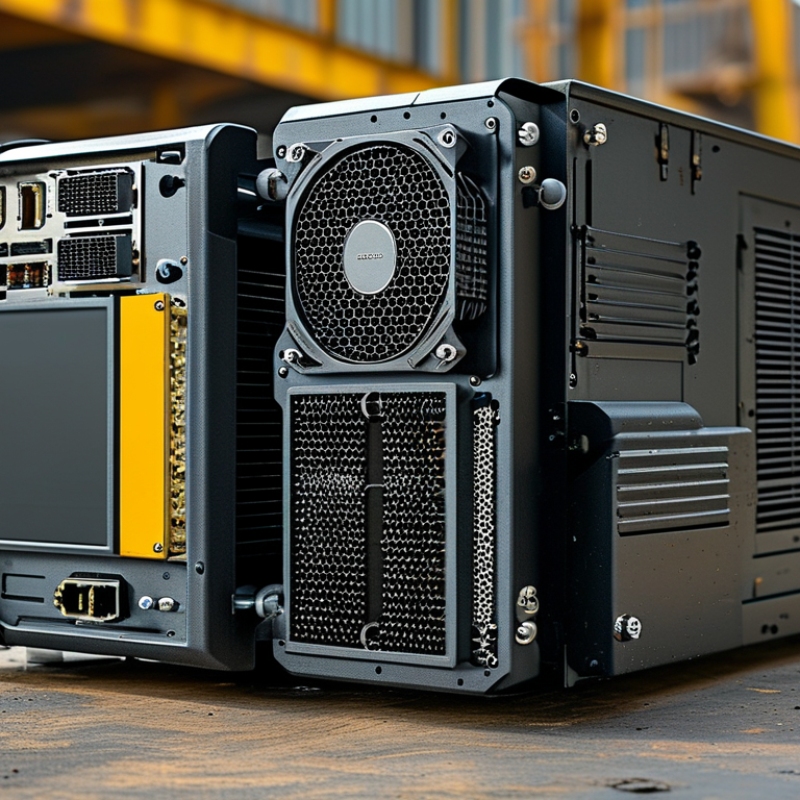
How to Choose the Best Industrial PC for Your Needs?

Understanding the Key Specifications of Industrial PCs

Choosing the right industrial PC involves understanding key specifications. Focus on the processor type and performance. Generally, more powerful processors handle complex tasks better. Look for multi-core options for improved multitasking. Also, pay attention to RAM size. More RAM allows for smoother operation, especially when running multiple applications.

Storage type is crucial too. Solid-state drives (SSDs) are faster than traditional hard drives. They improve boot times and application loading. Consider your data needs. If you work with large files, opt for higher storage capacity. Don't overlook the importance of ruggedness. Industrial PCs often face harsh environments. Verify that the system has adequate protection against dust and temperature fluctuations.

Monitor connectivity is something to consider as well. Ensure the PC has compatible ports for your devices. This choice can significantly affect workflow efficiency. Sometimes, finding the right balance is a challenge. You may want a compact design but also need expansion capabilities. Evaluate your long-term needs. This exercise may help refine your decision-making process.

How to Choose the Best Industrial PC for Your Needs?

Specification Description Importance Level
Processor The type and speed of the CPU, affecting the overall performance. High
RAM Amount of memory for running applications smoothly. High
Storage Type HDD vs SSD; affects data access speed and durability. Medium
Operating Temperature The temperature range the PC can operate within. High
Connectivity Options Types of ports available (USB, Ethernet, etc.). Medium
Shock Resistance Ability to withstand vibration and shock in harsh environments. High
Power Consumption Amount of power the PC consumes during operation. Medium
Compliance Standards Industry certifications for safety and reliability. High

Evaluating the Performance Requirements for Specific Applications

When selecting an industrial PC, performance requirements are crucial. The specific needs depend on the application type. For example, data processing in manufacturing environments requires robust processing power. A report from IHS Markit indicates that high-performance computing (HPC) systems are expected to grow by 14% annually, emphasizing the demand for powerful solutions.

Another consideration is operating conditions. Industrial PCs often function in harsh environments. They must withstand dust, temperature fluctuations, and vibrations. According to research from MarketsandMarkets, the global industrial PC market is projected to reach $5.5 billion by 2026, driven partly by these rigorous demands.

It's essential to reflect on your unique requirements. Not all applications necessitate the highest performance options. For instance, simple data logging tasks may not need excessive CPU or GPU capabilities. Understanding the balance between performance and cost is key. Engaging with industry experts can provide insight, but always question the assumptions you make about your needs.

Assessing the Environmental Conditions and Durability Needs

When selecting an industrial PC, understanding the environmental conditions is crucial. These machines often operate in harsh settings. Factors like temperature, humidity, and dust levels can affect performance and longevity. An appropriate PC should withstand extreme temperatures, typically ranging from -20°C to 70°C. Humidity control is essential too; choose a unit designed for moisture exposure if necessary.

Tips for ensuring durability include examining IP ratings. An IP rating indicates the protection level against dust and water. A higher number means better resistance. Consider the mounting options too. Vibration-prone environments need PCs with a robust design. Think about fanless models; they reduce the risk of dust accumulation inside.

Assess the potential for mechanical shock in your environment. PCs that are too sensitive may fail quickly. Be cautious of overestimating your needs, as a powerful CPU does not guarantee durability. Understand that many features involve trade-offs. Sometimes, simplicity in design leads to enhanced reliability.

Comparing Different Industrial PC Form Factors and Configurations

Choosing the right industrial PC involves understanding the various form factors and configurations available. Each form factor, from compact embedded systems to robust rack-mounted units, serves specific applications and environments. A compact design is ideal for space-constrained locations while still providing essential processing power. On the other hand, rack-mounted systems offer scalability, allowing for easy upgrades and maintenance in data centers.

When evaluating configurations, consider the processor capabilities, RAM, and storage options. These specs directly impact performance in industrial applications. Industrial PCs often face harsh conditions, so durability is crucial. Look for systems with ruggedized features, like enhanced cooling and vibration resistance. Adapting to potential variations in performance based on your operational needs is warranted.

Consider how easy it will be to source replacement parts and support. This can greatly influence long-term reliability. Check the manufacturer's warranty and service terms. Local support can often make a significant difference. Don't overlook the importance of user feedback on reliability; it can provide valuable insights into real-world performance.

Analyzing Cost vs. Long-Term Value of Industrial PC Options

When evaluating the cost versus long-term value of industrial PCs, it’s crucial to consider various factors. Initial cost is often enticing, but cheaper options may lead to higher maintenance costs. Evaluating the total cost of ownership is essential. A well-built industrial PC can operate efficiently for years, saving you from future expenses.

Reliability should also factor into your decision. An industrial PC that fails frequently can disrupt operations and impact productivity. Investing in a robust system may seem higher upfront, but it often pays off in the long run. Research shows that companies that prioritize quality often enjoy better performance and longer product lifespans.

Upgrading technology is another consideration. A system that can adapt to future needs may have a higher initial price but will likely provide greater flexibility. The right choice isn’t always clear-cut. Balancing immediate budget constraints with potential long-term gains requires careful thought. Understanding your specific needs will guide you to make a more informed decision.

SERVO-ROBOT Inc
Privacy Overview

This website uses cookies so that we can provide you with the best user experience possible. Cookie information is stored in your browser and performs functions such as recognising you when you return to our website and helping our team to understand which sections of the website you find most interesting and useful.