What Is a Cafe POS System and How Does It Work?
A Cafe Pos System is more than a digital cash register behind the counter. It connects ordering, payments, menu management, inventory, staff activity, and customer records in one operating system. When a barista enters a cappuccino, the order can appear instantly on a kitchen display, reduce milk inventory, print a receipt, and update daily sales data. Small details matter. A delayed ticket can change a morning rush.
Industry data shows why this technology deserves careful attention. The National Restaurant Association’s 2024 State of the Restaurant Industry report projected U.S. restaurant and foodservice sales above $1 trillion, with operators facing persistent labor and cost pressures. Meanwhile, Grand View Research reports that the global point-of-sale software market is expanding as businesses adopt cloud platforms and integrated payment tools. These figures do not prove that every cafe needs the most expensive system. They do show a competitive market where accurate information can support better decisions.
This guide explains what a Cafe Pos System does and how it works during real cafe operations. It examines order flow, payment processing, inventory tracking, reporting, integrations, and security considerations. A practical system should help staff serve customers faster without making the counter confusing. It should also provide owners with clear data, not attractive dashboards alone. That distinction is easy to miss. Reports from Square, Toast, and Lightspeed also indicate growing interest in digital ordering, loyalty programs, and connected commerce, although results can vary by location, menu, and staff training. Technology helps. It does not replace sound management.
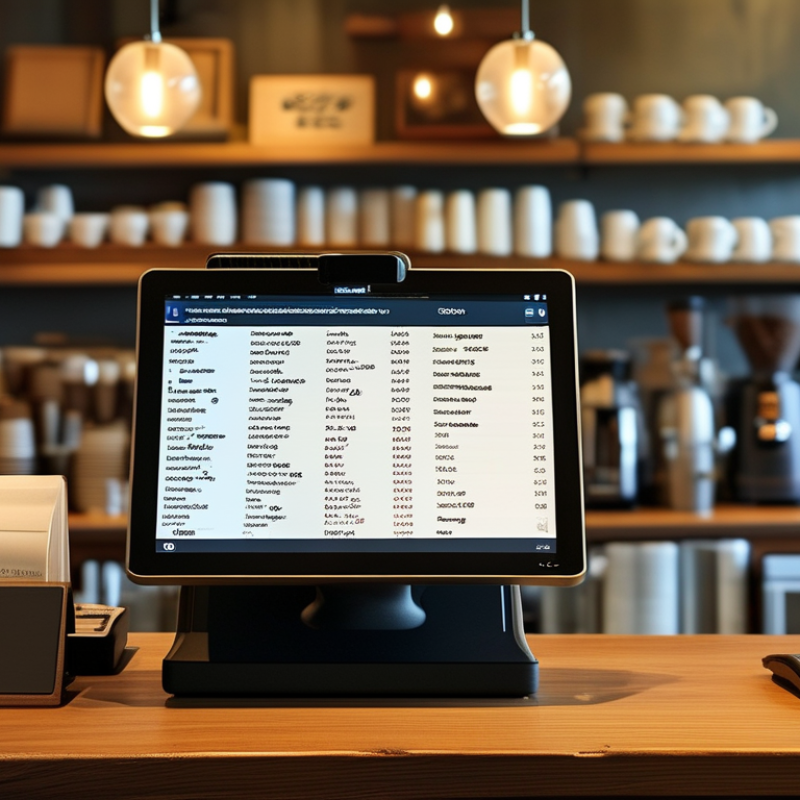
What a Café POS System Is: A Digital Hub in the $1 Trillion U.S. Market
What Is a Cafe POS System and How Does It Work?
What a Café POS System Is: A Digital Hub in the $1 Trillion U.S. Market
A café POS system is the digital hub connecting sales, payments, staff, and inventory. In the vast U.S. food-service market, valued at roughly $1 trillion, this connection matters every day. A barista enters a cappuccino and a pastry on a touchscreen. The system sends the order to the preparation area, records payment, and updates sales data.
The workflow is simple, but its impact can be substantial. Managers can review hourly sales, popular products, refund activity, and stock levels from one dashboard. Inventory alerts may show that milk, coffee beans, or takeaway cups need attention. Staff permissions also help limit sensitive actions, such as voids or price changes. Accurate records support better decisions and clearer financial reviews.
It is not magic.
A POS system cannot fix poor recipes, slow service, or careless data entry. Employees still need practical training and regular checks. Internet outages, incorrect modifiers, and forgotten stock adjustments can create misleading reports. For reliable results, cafés should test workflows during busy periods and compare digital records with physical counts. The best system is not always the most complex. It is the one staff can use consistently, while managers can understand and verify.
Core POS Components: Terminals, Printers, Payments, Inventory, and Cloud Data
What Is a Cafe POS System and How Does It Work?
A cafe POS system connects the counter, kitchen, payments, inventory, and sales records. The terminal captures each order, applies taxes, and sends clear instructions to the kitchen printer. A customer’s receipt can print separately. The payment device then authorizes cards, mobile wallets, or other approved methods. Secure tokenization helps reduce exposure to sensitive payment details. Small delays matter when the queue reaches the door.
Inventory tools subtract ingredients after each sale. One latte may reduce coffee beans, milk, and syrup quantities. Cloud data stores transactions, menu changes, staff activity, and reports in one accessible location. Managers can compare Tuesday morning sales with waste records. The National Restaurant Association’s 2024 State of the Restaurant Industry Report projected U.S. restaurant sales would exceed 1 trillion dollars. That scale shows why reliable transaction data matters, even in a small cafe.
Tips: Keep the setup boring. Test offline procedures, printer paper, and payment recovery each week. Reconcile cash before closing. Review low-stock alerts daily, but do not trust them blindly. Suppliers change package sizes, recipes drift, and counts become imperfect. I have seen a system report enough milk while the refrigerator says otherwise. Pair digital records with physical checks. Protect cloud accounts with strong passwords and multi-factor authentication. PCI DSS guidance should also shape payment handling, especially access permissions and stored data.
How a Café POS Works: Order, Kitchen Ticket, Payment, and Sales Report
A café POS system connects the counter, kitchen, payment desk, and sales records. In daily service, a cashier enters an order on a touchscreen, such as two lattes, one oat milk change, and a toasted sandwich. The system records each item clearly. It can also apply taxes, discounts, and order numbers. Small details matter. A missed modifier can create an unhappy customer and a confused barista.
After the order is confirmed, the POS sends a kitchen ticket to the correct preparation area. Drinks may appear on a bar screen, while food goes to a printer or kitchen display. Staff can see the item, quantity, and special request without reading handwriting. When the order is ready, its status changes. This helps the cashier track collection and reduces repeated questions. Still, technology is not perfect. A weak network or incorrect menu setting can delay service, so staff need a simple backup process.
Payment usually happens after order confirmation. The POS calculates the total, accepts an approved payment method, and provides a receipt. It then stores the transaction in a sales report. Managers can review hourly revenue, popular products, refunds, and payment differences. These figures support practical decisions, such as preparing more pastries before the morning rush. Reports should be checked against cash and stock records. Numbers can reveal problems, but they do not explain every customer choice. Human review remains necessary.
Security by Design: PCI DSS 4.0.1 Requirements Effective March 31, 2025
A café POS system combines order entry, payment processing, inventory records, and staff access in one workspace. A cashier taps a drink, the system sends payment data for authorization, and the sale updates the receipt and stock count. That convenience also creates a security responsibility.
PCI DSS 4.0.1 makes security-by-design more important. Its future-dated requirements became effective on March 31, 2025, according to the PCI Security Standards Council. Cafés should document payment flows, restrict access by job role, and protect stored account data. Multi-factor authentication, stronger password controls, tested incident response, and continuous vulnerability management now deserve operational attention. Small details matter. A forgotten technician account can undermine an otherwise careful setup.
Industry evidence supports this caution. The 2024 Cost of a Data Breach Report placed the global average breach cost at 4.88 million dollars. That figure does not describe every café, but it shows how expensive weak controls can become. The 2025 Data Breach Investigations Report also reported that third-party involvement in breaches doubled to 30 percent. A POS provider, payment gateway, or remote support channel therefore needs review, not automatic trust. In practice, many cafés still treat compliance as paperwork. That is a mistake, though a common one. Managers should keep access logs, test backups, patch terminals promptly, and review service-provider responsibilities before an incident exposes customer payment data.
What Is a Cafe POS System and How Does It Work?
A cafe POS system records orders, calculates totals, manages receipts, and connects payment terminals with operational systems. Security by design helps protect payment data throughout this workflow and supports PCI DSS 4.0.1 compliance planning.
PCI DSS 4.0.1 Security Milestones
The chart shows the number of days elapsed from the publication of PCI DSS v4.0 on March 31, 2022, to major lifecycle milestones. Future-dated PCI DSS requirements became effective on March 31, 2025, making payment security controls especially relevant for cafe POS environments.
Why Café POS Matters: The NRA’s 15.7 Million U.S. Restaurant Jobs
A café POS system is the operational center behind each counter transaction. It records orders, sends items to preparation screens, tracks payments, and updates inventory. In a busy morning rush, one accurate tap can replace several handwritten steps. The system also stores sales patterns, refund records, tax details, and staff activity. That information helps owners adjust staffing and reduce avoidable waste.
The National Restaurant Association’s 2024 industry outlook estimated that U.S. restaurants would support about 15.7 million jobs. That figure makes café efficiency a workforce issue, not merely a technology choice. When ordering is clearer, employees spend less time correcting tickets and more time serving customers. A POS can also show hourly demand, helping managers schedule people around real traffic instead of guesswork. Small improvements matter.
The Bureau of Labor Statistics continues to identify food service as a large, labor-intensive employment sector. Yet a POS does not solve every problem. Poor training, weak connectivity, or inaccurate menus can create new delays. Café managers should review reports against actual shift conditions, including queues, stockouts, and customer feedback. Reports from the National Restaurant Association and BLS offer useful benchmarks, but each café still needs local evidence. Numbers are helpful. They are not the whole story.